


As a new user, I want to create a Identity with a Password so that I can secure my account
Video prototype
Acceptance Criteria
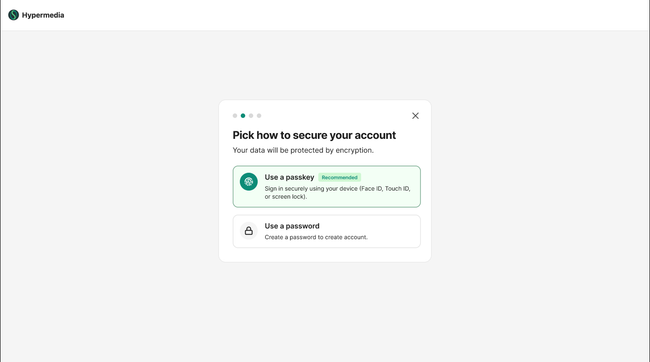
User is presented with two options: "Use a passkey" (recommended) and "Use a password"
User can dismiss the dialog via the X button and progress indicator shows step of the flow
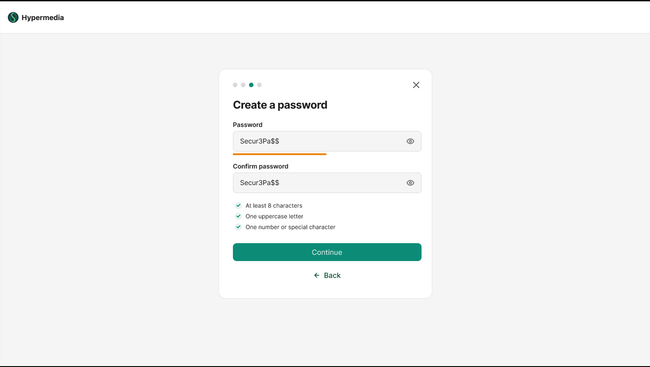
User can enter a password and confirm it in two separate fields
Validation rules are displayed and check off as met. "Back" button returns to the security options screen
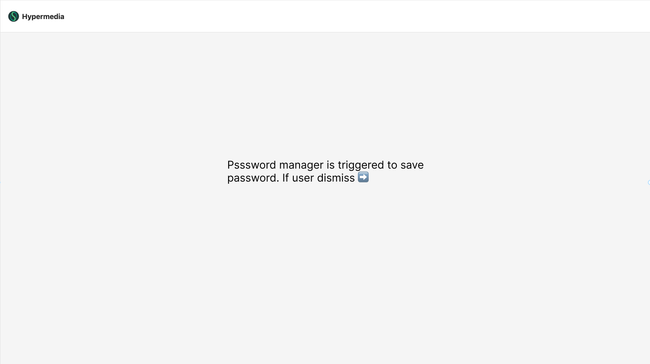
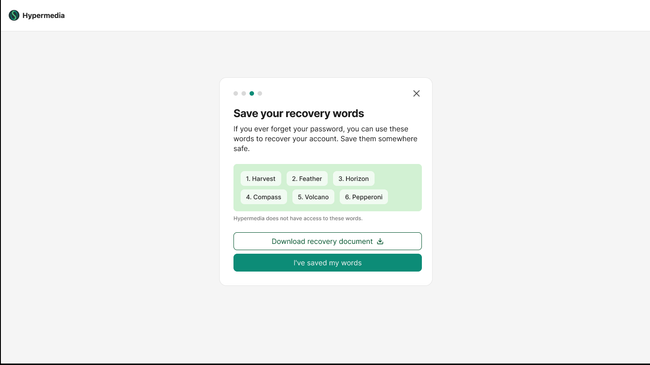
Password manager is triggers to save password. If user declines password manager, user is presented with 6 recovery words.
Save words button allows the user to download/export the recovery words for safekeeping.
Recovery words are stored encrypted and associated with the user's vault
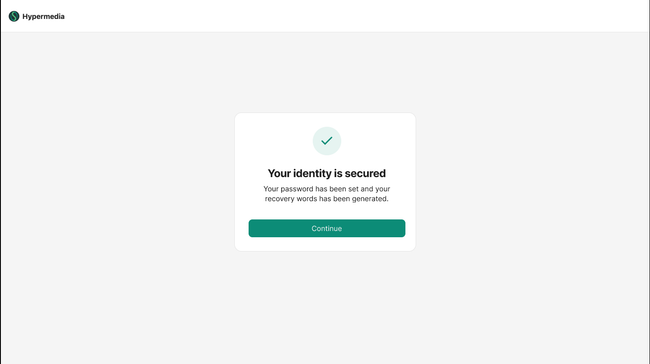
Success message confirms: "Your password has been set and your recovery words has been generated"
At this point, the account vault is cryptographically sealed with the password + recovery word
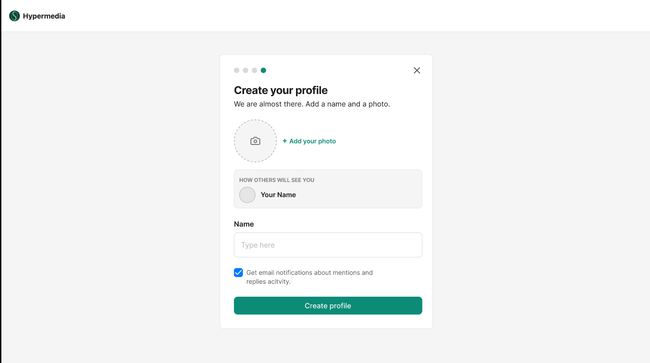
User can add a profile photo (optional). We redesign this screen to prioritize avatar, hopefully more users will add it.
Checkbox for email notifications about mentions and replies (default: checked). Please update to this short text.
"Create profile" button is enabled once name is provided
After submission, account setup is complete and lands to success screen, getting back where he came from (commenting, join site, create site...)
Designs
After profile screen → Success screen
Basic flow
User lands in options to secure account after validating 4 digit code
Enters password with validation rules
User selects the recovery word from 6 options
User continues password flow after confirmation
User adds name and avatar on the profile screen
User lands back where he came from when created account was triggered (commenting, join site, create site...)
Edge Case
User navigates away or closes the app mid-flow — progress is saved, user resumes at the last completed step
User's device doesn't support passkeys — passkey option is visible but disabled with an explanation: "Your device does not support Passkey, please add password instead"
User refreshes on the recovery word step — same 6 words are shown until the step is confirmed
User clicks "I've saved my word" without downloading — We do nothing
Recovery word download fails — user is notified and can retry
Vault sealing fails after password and word are confirmed — user sees an error and can retry without repeating earlier steps
User uploads an unsupported format or file over 5MB as profile photo — inline error with accepted formats and size limit
Name field with only spaces or empty input — "Create profile" button stays disabled
Do you like what you are reading? Subscribe to receive updates.
Unsubscribe anytime